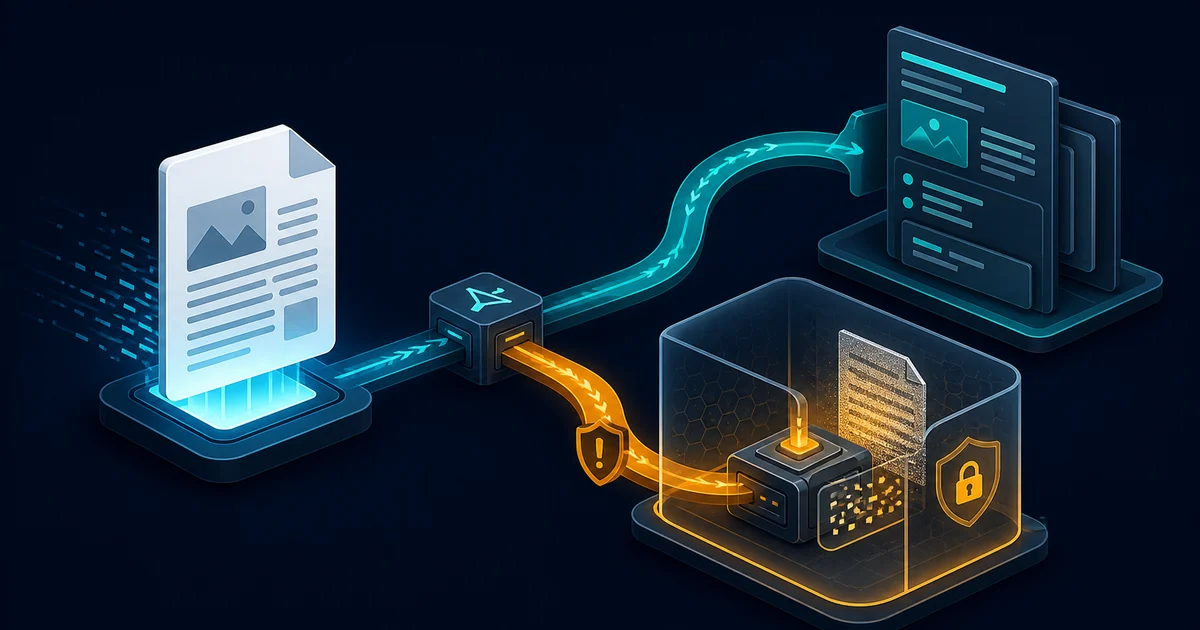
Paperless-ngx can be a good home for tax records, contracts, medical letters, invoices, and identity documents, but only if the host is already a trustworthy place for plaintext data. The application does not encrypt documents at rest. Version 3.0 makes that boundary harder to ignore by removing the deprecated document and thumbnail encryption feature.
The practical verdict is not “never store sensitive documents in Paperless-ngx.” It is: run it privately, use full-disk encryption on every machine that holds the archive, encrypt off-site backups, minimize administrator access, and test recovery before destroying the paper originals. A public VPS is not automatically safer than a well-maintained home server; it replaces local physical risk with provider, hypervisor, credential, and internet-exposure risk.
This is newly important because Paperless-ngx 3.0.0 was released on July 22, 2026. Version 3.0.1 followed on July 23 with a database migration problem, and the maintainers published 3.0.2 on July 24 to repair it. New deployments and staged upgrades should pin 3.0.2 rather than using an unqualified latest image.
This is a researched technical review of Paperless-ngx 3.0.2 and the upstream state observed on July 25, 2026. OpenSourceChoice did not install the release, inspect live network traffic, benchmark OCR, audit the source code, or evaluate a production archive.
Executive verdict
Paperless-ngx 3.0.2 is a strong choice for an individual, family, or small team that wants a searchable private document archive and is prepared to operate the underlying security controls. Its local OCR pipeline, broad import support, versioning, permissions, audit history, export tooling, and mature ecosystem solve a real problem without requiring a hosted document service.
Adopt it when:
- the server and backups can use full-disk or volume encryption;
- access stays on a trusted network or a private VPN;
- administrators understand that root access means document access;
- workflows assign document ownership and permissions explicitly;
- updates, backups, restore drills, and expiring public shares have owners.
Do not adopt it as a shortcut to compliance, as an internet-facing file drop with default settings, or as a zero-maintenance replacement for a managed document service. Organizations with complex records workflows, retention controls, approval chains, or separation-of-duty requirements should compare Mayan EDMS in parallel.
Existing users should treat v3 as a migration project. The supported starting point is 2.20.15, old application-encrypted documents must be decrypted before upgrading, the search index is rebuilt for Tantivy, and several configuration contracts changed. A tested export plus database and volume backup is the entry ticket, not the last step.
Why this matters now
The release has multiple independent signals rather than one viral mention:
- Paperless-ngx 3.0.0 shipped on July 22, followed by two patch releases in roughly 31 hours;
- Paperless-ngx appeared on GitHub Trending on July 25;
- the v3 release discussion in the project's Reddit community drew sustained attention after July 22;
- a separate July discussion in
r/selfhostedfocused on the physical-security trade-off of storing sensitive Paperless documents at home versus on a VPS.
Repository activity also continued after the release, with changes from multiple contributors visible through July 25. Dynamic repository counts are not evidence of product quality, but the release cadence and follow-up work show an actively maintained project confronting a consequential upgrade.
The timing creates a useful adoption question. Version 3 adds file versions, share bundles, parser plugins, optional AI features, remote OCR, and a new search engine. At the same time, it removes an encryption option and raises the hardware baseline for part of its machine-learning stack. The interesting decision is therefore not “does Paperless have more features?” It is whether an operator can defend the full archive lifecycle.
What Paperless-ngx actually protects
Paperless-ngx ingests documents, extracts text and metadata, creates searchable representations, and stores both the original and, when configured, an archival PDF/A version. Its normal stack has several security-relevant components:
- The web application and API provide search, tagging, correspondents, document types, permissions, sharing, and administration.
- The consumer watches an ingestion directory and processes uploaded or imported files.
- Celery workers perform background tasks, with Valkey or Redis as the broker.
- Tesseract performs OCR locally by default.
- Tantivy stores the full-text search index introduced in v3.
- SQLite, PostgreSQL, or MariaDB stores application metadata; the project recommends PostgreSQL for new installations and multi-user deployments.
- The media, data, consume, export, and database volumes preserve different parts of the operating state.
Docker Compose is the project's recommended installation path for most users, with official container images for common x86 and ARM architectures. That makes deployment accessible, but Compose is an orchestration convenience, not an isolation boundary against a compromised host administrator.
Paperless is also not a generic encrypted drive, collaborative editor, digital-signature platform, or immutable records vault. It can organize and retrieve files extremely well, but the operator still owns host hardening, storage encryption, network access, identity security, retention policy, and disaster recovery.
Plaintext storage is the central security contract
The project's README states that Paperless-ngx should not run on an untrusted host because information is stored in clear text without encryption. The v3 migration guide makes this concrete: support for document and thumbnail encryption has been removed, and users of the deprecated feature must run the documented decrypt_documents command before upgrading.
Removing application-level encryption is not the same as deliberately exposing documents. The old feature could not protect every sensitive derivative, credential, database record, index entry, temporary file, or running process. A partial encryption checkbox can create false assurance if the search index, backups, metadata, thumbnails, or host remain readable.
The replacement control is broader host-level encryption:
- full-disk encryption on the server protects data when a powered-off device or detached disk is stolen;
- encrypted backup destinations protect copied archives outside the primary server;
- an encrypted client protects downloaded files and browser caches;
- access controls and process isolation protect the running system.
Full-disk encryption has a strict limit: once the machine is booted and the volume unlocked, root, a compromised process, or a hostile hypervisor can usually read the files. Encryption at rest is therefore necessary for sensitive home archives, but it does not make an untrusted host trustworthy.
Home server or VPS?
The safest location depends on the threat model, not on whether the machine sits in a home or a data center.
| Decision factor | Private home server | Hosted VPS |
|---|---|---|
| Physical control | You control the device, disks, boot process, and disposal | The provider controls hardware, snapshots, and hypervisor administration |
| Theft and disaster | Burglary, fire, flood, and accidental damage are local risks | Provider failure and account takeover replace some local risks |
| Network exposure | Can remain LAN-only or VPN-only | Usually has a public network path that must be restricted |
| Availability | Depends on home power, internet, and hardware | Usually better connectivity and remote recovery options |
| Operational trust | Household administrators and local software | Provider staff, control plane, billing account, and your administrators |
| Recurring cost | Hardware, electricity, replacement disks, and time | Monthly compute, storage, backups, egress, and time |
For most personal archives, a private home server with disk encryption, automatic encrypted off-site backups, a VPN, and tested restore media is the clearer default. A VPS becomes reasonable when remote availability matters and the organization can document provider trust, restrict ingress, encrypt backups independently, secure the control-plane account, and accept that the provider layer can observe an unlocked VM.
Neither location should be the only copy. Moving Paperless to a VPS does not solve ransomware, operator error, corrupted migrations, or deleted documents.
Data flow changes when optional services are enabled
The default OCR path can remain local. Tesseract processes documents on the host, and Paperless does not require an external AI provider to classify, search, or manage the archive.
Version 3 adds optional AI features for summarization, question answering, suggestions, and embeddings. They are disabled by default. When an operator connects a hosted language model, document content and metadata can leave the Paperless server, and usage may create a separate provider bill. Local Ollama or a self-hosted OpenAI-compatible endpoint can keep inference inside the chosen boundary, while local Hugging Face embeddings can avoid a remote embedding service.
Remote OCR through Microsoft Azure creates the same kind of boundary change: document content is sent to an external service. The optional Tika and Gotenberg services used for Office and email conversion remain self-hostable, but they expand the parser attack surface and need their own patching and resource limits.
Before enabling any optional service, draw one data-flow diagram: original file, temporary file, OCR output, index, database metadata, model prompt, logs, backup, and export. If a box is run by another organization, treat it as a disclosure decision rather than a harmless feature toggle.
Current security posture
Paperless-ngx has useful application controls:
- user and group permissions at global and object level;
- optional TOTP two-factor authentication with recovery codes;
- OpenID Connect support;
- audit logging enabled by default;
- configurable login and token throttling;
- expiring share links and share bundles;
- a documented private vulnerability-reporting process through GitHub.
The details matter. Documents ingested from a consumption directory do not automatically receive an owner or extra permissions unless a workflow assigns them. For backward compatibility, objects without an owner can be visible to users with the relevant global permission. Superusers can see all documents. Public share links do not require a login.
That means a multi-user deployment should create ownership workflows before bulk ingestion, use a separate non-superuser account for daily work, review active share links, and reserve superuser credentials for administration.
The project has also published and fixed several 2026 advisories before v3, including a high-severity privilege-escalation issue fixed in 2.20.11, a mail-metadata authorization issue fixed in 2.20.12, and a lower-severity user-deletion authorization issue fixed in 2.20.15. Version 3.0.2 includes those fixes. The lesson is not that Paperless is uniquely unsafe; it is that patch latency matters for an archive containing high-value identity data.
Version 3 is a migration, not a routine image pull
The current migration guide requires users to upgrade to 2.20.15 first. Operators then need to address several breaking changes:
- decrypt documents and thumbnails created with the removed encryption feature;
- set
PAPERLESS_SECRET_KEY, which is now required; - select the database engine explicitly for PostgreSQL or MariaDB;
- expect a Tantivy search-index rebuild and verify query behavior after the move from Whoosh;
- account for cleared task history;
- update pre- and post-consumption scripts that relied on removed positional arguments;
- review reverse-proxy and OpenID Connect settings;
- verify the new CPU baseline before moving older x86 hardware.
The updated v3 migration documentation warns that NumPy 2.4 requires an x86-64-v2 instruction baseline. Some older Intel and AMD processors can terminate with an illegal-instruction error when the classifier loads. Raspberry Pi and ARM support remains available, but operators should still test their exact image and workload.
The release history supplies another reason to stage the change. Version 3.0.1 contained a broken database migration, and 3.0.2 was released soon after to fix it. Pinning 3.0.2, backing up first, and rehearsing the upgrade on copied data is safer than allowing an unattended latest pull.
A defensible production baseline
A sensitive Paperless deployment should meet all of these controls before bulk ingestion:
- Keep the service private. Prefer a LAN plus VPN. If public HTTPS is required, expose only the reverse proxy, patch it, and restrict administrative access.
- Encrypt every storage layer. Use full-disk or volume encryption for the server, encrypted client devices, and independently encrypted off-site backups.
- Use an unpredictable secret key. Store
PAPERLESS_SECRET_KEYoutside the Compose file and backup it securely. - Declare the public URL and host boundary. Configure
PAPERLESS_URL, allowed hosts, CSRF origins, and trusted proxy headers for the actual topology. - Harden identity. Require 2FA, disable unused signup and auto-login paths, protect the identity provider, and keep a recovery procedure.
- Separate administration from daily use. A normal account limits accidental broad access; the superuser is for maintenance.
- Assign ownership during ingestion. Test consumption workflows with two unprivileged users before importing the archive.
- Control sharing. Set expirations, inventory public links, and assume anyone with a live URL can read the shared item.
- Pin and monitor releases. Use an explicit application version and subscribe to releases plus security advisories.
- Practice recovery. Restore the database, documents, index or rebuilt index, configuration, and secret key on an isolated machine.
If the deployment cannot satisfy the first, second, ninth, and tenth controls, it is not ready for irreplaceable or identity-bearing documents.
Backups and exit options
Paperless includes a document exporter that can preserve documents, thumbnails, metadata, and database contents in a portable directory. Incremental exports can work with rsync, but API tokens are deliberately excluded.
There is an important compatibility condition: an export created by one Paperless version should be imported into the same version. Record the application version alongside every export, retain the matching container image or package, and test the import before relying on it.
An export is not the only backup needed. Docker operators should also protect the database and relevant volumes, while keeping at least one offline or immutable copy. Search indexes can be rebuilt, but originals, metadata, encryption keys, configuration, and the database cannot be reconstructed from an index.
The exit path is better than a proprietary archive because original documents and metadata can be exported without a hosted-service cancellation step. Portability still has an operational cost: tags, custom fields, relationships, workflows, permissions, and document history may not map cleanly into another product.
License and commercial use
Paperless-ngx is licensed under GPLv3. Individuals and companies can run and modify it internally. Distribution of a modified version or derivative work triggers the GPL's source, notice, and corresponding-code obligations.
GPLv3 is not AGPL: operating a modified instance as a hosted network service does not by itself create the AGPL-style requirement to offer source code to remote users. Organizations that redistribute appliances, bundled images, or customized software should still obtain licensing advice for their exact delivery model. The project name and branding also remain separate from the software license.
Maturity and real operating cost
Paperless-ngx is an active multi-contributor project with extensive documentation, packaged containers, ARM support, a security policy, and rapid patch releases. That supports adoption. The broken 3.0.1 migration also shows why an active project is not the same as a risk-free major upgrade.
There is no per-document application fee in the self-hosted stack. The real cost is:
- server hardware or VPS rent;
- primary and off-site backup storage;
- electricity and replacement disks at home;
- OCR CPU time and memory;
- monitoring, updates, access reviews, and restore drills;
- optional hosted AI or remote OCR charges if those services are enabled;
- incident response if an administrator account or host is compromised.
For one technically comfortable household, that cost can be modest. For a regulated team, the administrative controls and evidence may cost more than the infrastructure.
Who should adopt it
Paperless-ngx 3.0.2 is a good fit for:
- households replacing filing cabinets with a searchable private archive;
- freelancers and small businesses with repeatable invoices, contracts, and correspondence;
- teams that can keep the service private and operate Linux, containers, backups, and identity controls;
- users who value open formats, local OCR, exports, and an inspectable GPL codebase.
It is a poor fit for:
- users who expect end-to-end encryption while actively using the web interface;
- teams without an accountable server and backup operator;
- deployments that must expose an unaudited default configuration directly to the internet;
- organizations requiring formal records governance, legal holds, approval workflows, or vendor-backed compliance attestations out of the box;
- people who need a zero-maintenance mobile scanning subscription rather than a self-hosted system.
Alternatives to evaluate in parallel
Mayan EDMS is the closest open-source comparison for organizations that need a heavier document-management system. Its workflow, role, cabinet, metadata, and records-oriented surface is broader, but deployment and administration are more complex. The current 4.11 documentation should be evaluated against the exact required controls rather than assuming “enterprise” means secure by default.
An encrypted filesystem plus OCRmyPDF and desktop search is a useful control option for a single user. It gives up Paperless workflows, browser access, permissions, sharing, and structured metadata, but reduces the number of always-running services and keeps the security model closer to ordinary encrypted files.
A managed document service may be the right operational alternative when nobody can own patching and recovery. Compare its export contract, encryption model, administrator access, jurisdiction, incident history, and long-term cost rather than comparing only feature lists.
A practical ten-day evaluation
Use copied, non-critical documents for the pilot.
Days 1–2: threat model and deployment. Define which administrators, devices, networks, backup destinations, and optional processors can see plaintext. Deploy pinned 3.0.2 with PostgreSQL, Valkey, full-disk encryption, private access, and no remote AI or OCR.
Days 3–4: ingestion and isolation. Create two unprivileged users. Import representative PDFs, scans, images, and Office files. Verify that workflows assign the intended owner, tags, document type, and permissions.
Days 5–6: retrieval quality. Measure OCR accuracy on difficult scans, search success for known phrases, duplicate handling, classifier usefulness, and time from upload to searchable document.
Day 7: identity and sharing. Enable 2FA, test recovery codes, verify proxy-derived client addresses, create an expiring share, and confirm its removal.
Days 8–9: backup and restore. Export the archive, backup the database and volumes, record the exact version, then restore onto an isolated host. Search for known documents and compare metadata plus file hashes.
Day 10: failure review. Simulate a full disk, a stopped worker, a lost user password, an expired certificate, and an unavailable backup destination.
Adopt only if the pilot meets measurable gates:
- no unintended cross-user document visibility;
- a successful isolated restore within the recovery-time target;
- encrypted primary and off-site storage;
- acceptable OCR and retrieval accuracy on the real document mix;
- no unexplained outbound data flow;
- a named owner and time budget for monthly updates plus quarterly restore tests.
OpenSourceChoice assessment
- Best for: private personal and small-team archives with an accountable self-hosting operator.
- Not for: zero-maintenance users or organizations expecting a turnkey compliance vault.
- Why now: v3.0 changes search, storage assumptions, features, hardware compatibility, and the upgrade contract.
- Real cost: infrastructure is inexpensive; safe administration, backup, and recovery are the larger commitment.
- Main risk: a compromised or untrusted running host can read plaintext originals and derived data.
- Production gate: prove permissions, encrypted backups, a same-version restore, private access, and a pinned patched release.
- Parallel alternative: Mayan EDMS for deeper document workflows, or encrypted files plus OCRmyPDF for a smaller attack surface.
- Recommendation: pilot Paperless-ngx 3.0.2 privately, but do not bulk-import sensitive originals until the restore and access-isolation tests pass.
Sources
Primary sources:
- Paperless-ngx README and plaintext-storage warning — Paperless-ngx maintainers; v3.0.2; accessed July 25, 2026.
- Paperless-ngx 3.0.0 release notes — Paperless-ngx maintainers; released July 22, 2026; breaking changes and feature additions.
- Paperless-ngx 3.0.1 release notes — Paperless-ngx maintainers; released July 23, 2026; database migration warning.
- Paperless-ngx 3.0.2 release notes — Paperless-ngx maintainers; released July 24, 2026; current stable patch evaluated here.
- Migration to Paperless-ngx v3 — Paperless-ngx documentation; current documentation accessed July 25, 2026.
- Setup and installation — Paperless-ngx documentation; current installation and database guidance accessed July 25, 2026.
- Architecture and usage — Paperless-ngx documentation; current component and document-flow guidance accessed July 25, 2026.
- Configuration — Paperless-ngx documentation; current hosting, authentication, security, proxy, and integration options accessed July 25, 2026.
- Administration and backups — Paperless-ngx documentation; exporter and backup guidance accessed July 25, 2026.
- Advanced usage and AI features — Paperless-ngx documentation; current local and remote AI data-flow options accessed July 25, 2026.
- Security policy — Paperless-ngx maintainers; v3.0.2 disclosure policy.
- Privilege-escalation advisory GHSA-59xh-5vwx-4c4q — Paperless-ngx maintainers; published March 16, 2026; fixed in 2.20.11.
- Mail-metadata authorization advisory GHSA-96jx-fj7m-qh6x — Paperless-ngx maintainers; published March 21, 2026; fixed in 2.20.12.
- User-deletion authorization advisory GHSA-8c6x-pfjq-9gr7 — Paperless-ngx maintainers; published April 27, 2026; fixed in 2.20.15.
- GPLv3 license — Paperless-ngx contributors; license at v3.0.2.
- Mayan EDMS 4.11 release documentation — Mayan EDMS project; current alternative reviewed July 25, 2026.
Trend and community context:
- GitHub Trending — observed July 25, 2026; discovery signal, not technical evidence.
- Paperless-ngx v3.0.0 release discussion —
r/Paperlessngx; posted July 22, 2026; community interest signal. - Physical security and sensitive data discussion —
r/selfhosted; July 2026; independent threat-model context.
All technical conclusions above are OpenSourceChoice editorial analysis derived from the cited upstream documentation and release state, not claims of hands-on validation.
Build a stack for this use case.
Answer nine practical questions and compare three transparent architectures with costs, free limits, lock-in, and migration paths.
Build my stack