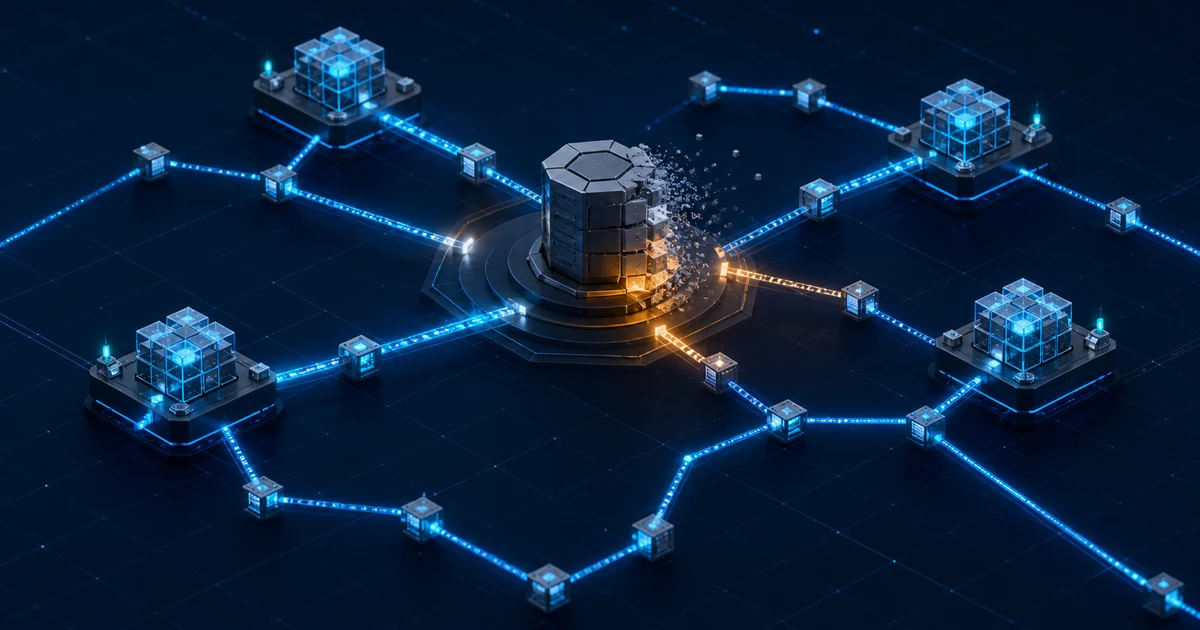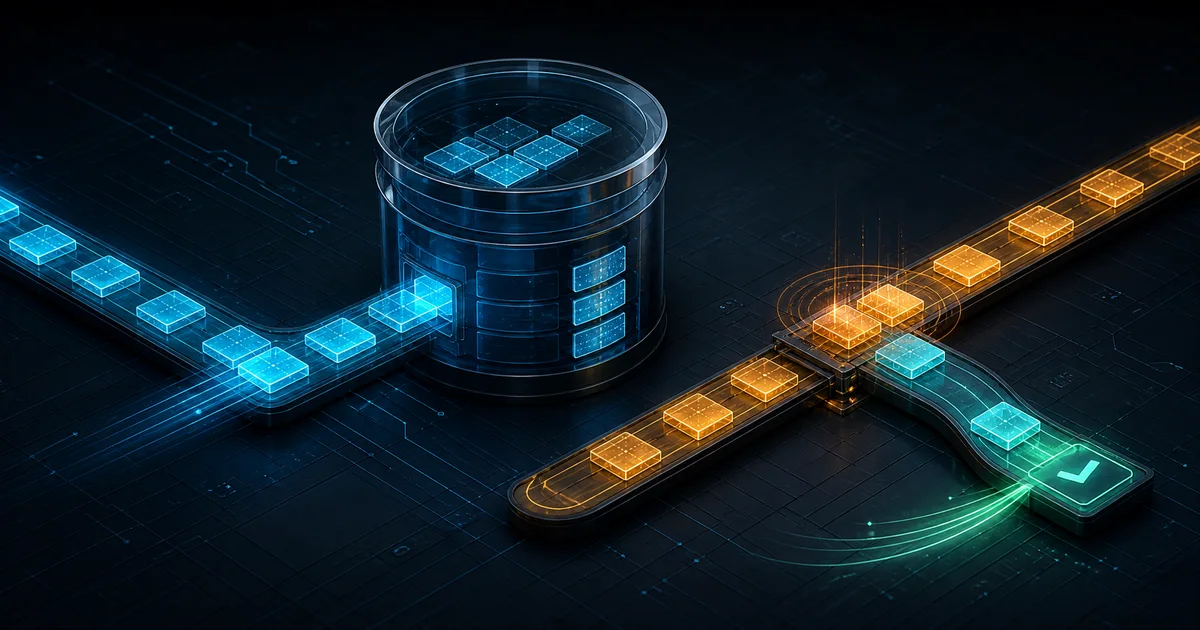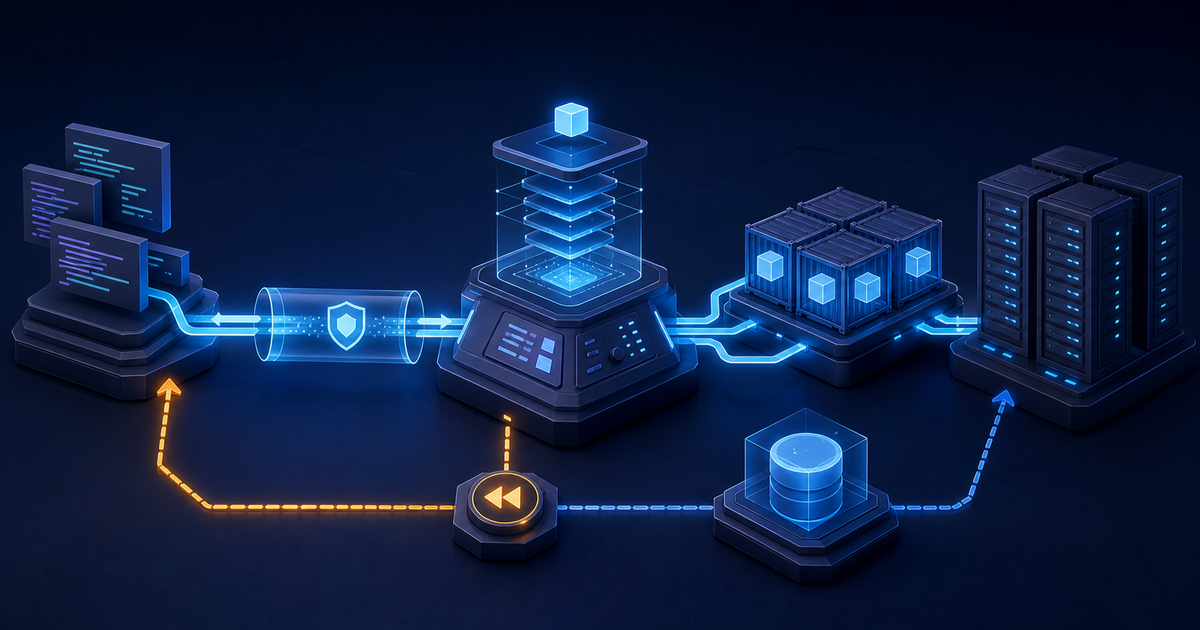
OpenShip makes an attractive promise: connect a repository, build away from the production host, send a versioned container over SSH, route it through OpenResty, and keep a rollback ready. Version 0.3.0 packages that workflow into desktop, server, CLI, web, REST, and MCP interfaces.
The practical verdict is more cautious than the project's "production-ready core" label. OpenShip 0.3.0 is worth a disposable staging pilot for experienced operators who can audit its privileged control plane and keep an independent recovery path. It is too young, too release-intensive, and too operationally broad to replace a proven production platform without failure testing first.
This is a researched technical assessment of OpenShip 0.3.0 and the upstream state observed on July 23, 2026. OpenSourceChoice did not install OpenShip, deploy an application with it, or run independent reliability, security, performance, email-deliverability, backup, or rollback tests.
The verdict
Pilot OpenShip when a solo developer or small platform team wants a local-first control plane, standard Docker output, and one interface for builds, domains, certificates, logs, databases, and backups. Its desktop mode is particularly interesting: the control plane stays on the operator's machine and reaches deployment servers over SSH, avoiding a permanently public dashboard.
Do not put the only copy of a production application's deployment metadata, secrets, backups, and recovery procedure behind OpenShip 0.3.0. The repository was created in March 2026, the first public release candidate arrived on June 20, and the current release shipped on July 22. Several fixes for permissions, systemd environment quoting, SSH-key paths, configuration parsing, and health reporting landed on main within hours after the v0.3.0 tag. Those fixes demonstrate active maintenance, but they are also evidence that the current binary is still crossing basic operational edge cases.
The strongest adoption plan is therefore reversible: use a new server and a non-critical application, pin the v0.3.0 artifact and checksum, keep the application deployable through plain Docker or Compose, and require a successful restore and manual platform exit before expanding scope.
Why this matters now
OpenShip has three independent timing signals:
- it appeared on GitHub Trending on July 23;
- a project introduction posted to Reddit on July 18 drew sustained questions about how it differs from Coolify and Dokploy;
- v0.3.0 shipped on July 22, with desktop and server artifacts for multiple operating systems.
That combination is more meaningful than a single viral post. Developers are actively looking for an open, self-hosted path away from deployment SaaS, and the upstream project is shipping rather than merely collecting attention.
The interest still needs to be separated from maturity. OpenShip's repository moved from release candidate to a rapid series of 0.1.x tags, several 0.2.x tags, and v0.3.0 in about a month. Fast delivery is useful during product discovery. For a system that can execute commands on servers, manage credentials, terminate TLS, restore databases, and operate a mail server, the same pace raises the cost of qualification and upgrades.
What OpenShip actually is
OpenShip is a deployment control plane, not a code forge and not a cloud provider. It accepts source from a repository or local folder, detects the stack or reads configuration, builds an artifact, sends it to a target, starts the workload, and configures routing.
The repository is a TypeScript monorepo built around:
- a Hono API that holds the authentication and permission boundary;
- a Next.js dashboard;
- CLI and Electron desktop launchers;
- adapters for local and SSH execution;
- PostgreSQL for persistent control-plane data;
- Redis for queues, caching, and rate limiting;
- Docker containers or bare host processes for applications;
- OpenResty and Let's Encrypt for managed routing and TLS.
The supported installation shapes matter:
- Desktop mode runs the API and dashboard on the operator's machine, uses loopback-only zero-auth, and manages local or remote servers over SSH.
- Server mode installs an always-on control plane on Linux, requires login, supports invitations, and can expose the dashboard through a managed or existing reverse proxy.
- OpenShip Cloud is the hosted option. A self-hosted instance can link to it, but local and cloud projects follow separate execution and data paths.
The CLI is the primary packaged server installation. The official instructions offer an install script or the openship npm package, then an interactive setup or openship up. GitHub release assets include platform binaries and SHA-256 sidecars. The repository also includes Docker Compose, but the README calls it the advanced, heavier path because the control-plane container receives access to the host Docker daemon.
No official prebuilt container package was shown in the repository's package registry at research time. The supplied Compose file builds the API, dashboard, and website from source and pulls PostgreSQL 16 and Redis 7 images. That is a valid installation path, but it is not equivalent to consuming a signed, versioned OpenShip container.
What it does not remove
OpenShip reduces deployment glue; it does not remove platform engineering.
The operator still owns:
- the Linux hosts, SSH access, Docker, storage, DNS, firewall, and capacity;
- operating-system and container-runtime patching;
- PostgreSQL and Redis durability for a containerized control plane;
- backup destinations, retention, encryption, restore tests, and off-site copies;
- application health checks and database migration safety;
- certificate and reverse-proxy conflicts on ports 80 and 443;
- incident response when the control plane or its metadata database is unavailable;
- monitoring outside the platform that can detect when OpenShip itself is down;
- email reputation, reverse DNS, spam handling, abuse response, and blocklist recovery if the built-in mail feature is enabled.
The official isolation documentation also describes a bare-process runtime. On Linux it uses systemd; on macOS it can fall back to nohup. Those processes share the host filesystem, users, and network, and the documentation says this mode does not enforce CPU or memory caps. Docker is the more defensible production default, especially on a shared host.
The architecture has a large privilege boundary
OpenShip's value comes from having permission to do difficult things automatically. That is also its main risk.
The project's security guide identifies remote execution as its highest-blast-radius surface. The adapters run commands as root on managed servers or use non-interactive sudo for elevated operations. They can install components, write under /etc, configure services, take over routing ports with consent, manage SSH material, and start or remove application resources.
A control-plane compromise can therefore become a deployment-server compromise. A malicious repository can also attack the build and deployment path. Containers improve runtime separation, but they do not make builds trusted or neutralize a control plane that holds SSH authority.
The positive controls are substantive:
- SSH host keys are intended to be pinned rather than accepted automatically;
- credentials and per-project secrets are documented as encrypted at rest;
- personal access tokens are stored as hashes and can be read-only or resource-scoped;
- MCP clients use OAuth consent and can receive the same restricted grants;
- every API route is expected to declare a permission tag;
- public or CLI-managed instances refuse desktop zero-auth mode;
- Docker deployments use per-project networks and scoped named volumes;
- project and deployment labels support targeted cleanup.
Those are design claims and code-level controls published by the project, not an independent audit result. Before adoption, verify them against the exact tag being deployed. In particular, confirm the SSH account's effective privileges, how encryption keys are stored and backed up, which commands can invoke sudo, how audit logs survive compromise, and whether deleting a project can touch resources outside its labels.
Authentication is more nuanced than "self-hosted"
Desktop mode has the smallest exposed surface because the dashboard is local. It also grants local loopback requests the rights of an automatically provisioned owner. The documentation says this path is rejected when the CLI manages the instance or a public URL is configured, and it uses the kernel-reported peer rather than trusting the Host header.
Server mode defaults to local email-and-password authentication with public signup disabled. Team access is invite-only. The baseline member role can read, change, deploy, and delete all non-billing resources in its organization; operators who need least privilege should use the restricted role and explicit resource grants instead of treating member as a harmless default.
Connecting to OpenShip Cloud creates another boundary. The self-hosted instance stores the organization owner's cloud session encrypted and proxies cloud-project operations under that identity after local permission checks. The project says local session cookies, local organization IDs, and original host headers are not forwarded. Teams that require a fully disconnected control plane should leave Cloud unlinked and verify that Git access, deployment, updates, and licensing checks still work in that state.
Release engineering is the largest maturity warning
OpenShip is active, not abandoned. The main branch received multiple fixes on release day, the repository has automated typechecking and tests, and the v0.3.0 workflow produced cross-platform binaries with checksum files.
The release record is less mature:
- the v0.3.0 release note is a one-line "Bump to v0.3.0 + announce";
- the changelog at the v0.3.0 tag has no 0.3.0 section and begins at 0.2.4;
- the 0.2.4 changelog text still contains an editorial placeholder to trim before tagging;
- several 0.2.x tags do not appear as GitHub Releases;
- v0.3.0 was followed within hours by fixes affecting operational behavior.
This does not prove that v0.3.0 is defective. It means an operator cannot yet rely on release notes alone to understand upgrade risk, resolved defects, database migrations, security impact, or known limitations. A production team would need to review the tag diff, current main, open issues, and post-release commits for every upgrade.
At research time, the issue tracker showed 23 open issues and four open pull requests, while 40 pull requests had been merged. The visible contributor history was heavily concentrated in one account, with the next contributors in single digits. These are July 23 snapshots, not quality scores, but they make maintainer continuity and review capacity reasonable pilot questions.
Security policy and vulnerability state
The repository includes a private vulnerability-reporting policy, safe-harbor language, defined response targets, and broad scope covering cloud, self-hosting, deployment, backups, routing, and mail. That is stronger than many projects at this age.
The policy supports only the latest release; older releases are explicitly unsupported. For a control plane, that creates a demanding operating contract: qualify updates quickly or remain on a version that upstream no longer promises to fix.
No public repository security advisory and no OSV entry for the openship npm package version 0.3.0 were visible on July 23. An empty public record is not evidence of no vulnerabilities, especially for a project whose public release history is weeks old. There was also no independent audit or mature disclosure history found in the reviewed primary sources.
Before production, require:
- a dedicated management host or hardened operator workstation;
- SSH keys limited to the smallest practical privilege;
- separate credentials for build, deploy, backup, DNS, and mail functions;
- a tested revocation path that works when OpenShip is unavailable;
- externally collected audit and host logs;
- network restrictions around the dashboard and API;
- a dependency and container-image scan of the exact tag;
- an inventory of every host path, socket, port, and secret exposed to the control plane.
Privacy and data flow
Self-hosting can keep code, deployment metadata, application logs, infrastructure credentials, and backups under the operator's control. OpenShip does not require a hosted control plane for its basic local or server modes, and self-hosted deployments target the local server by default according to the v0.3.0 changelog.
Data still moves across several boundaries:
- source travels from Git or a local folder to a build environment;
- build outputs travel to deployment hosts;
- the control plane stores project metadata, secrets, server keys, and deployment history;
- logs and metrics return from the hosts to the dashboard;
- optional GitHub, Cloud, DNS, CDN, and email workflows reach external systems;
- application data moves to configured backup destinations.
Do not describe this as "data never leaves your servers" without mapping the chosen features. A self-hosted instance linked to GitHub and OpenShip Cloud has a different privacy model from an offline desktop instance deploying a local repository over LAN SSH.
License, portability, and lock-in
OpenShip uses the Apache License 2.0. It permits commercial use, modification, self-hosting, and redistribution, subject to the license's notice and attribution requirements, and includes an express patent grant. Review the licenses of bundled and deployed components separately, especially the integrated mail stack, database images, OpenResty, application templates, and any proprietary service connected through the platform.
The application output is relatively portable because OpenShip deploys standard containers and can consume Docker Compose. Version 0.2.4 also added import of selected vercel.json, railway.toml, and railway.json settings. That can reduce migration friction into OpenShip; it does not guarantee a lossless path out.
Control-plane records, environment values, domain state, backup policies, job history, organization permissions, and audit data live in OpenShip-specific schemas and workflows. Auto-detected builds can also hide assumptions that are not captured in a portable file.
To control lock-in:
- keep a reviewed Dockerfile or Compose file in the application repository;
- export secrets and domain inventories through a separate secure process;
- store database-native dumps outside the platform;
- document the exact
docker runor Compose recovery command; - test routing the same container through Caddy, Traefik, or another independent proxy;
- prove that a new operator can restore service without a working OpenShip database.
Real operating cost
The software license is free, but production use is not.
Direct infrastructure includes the control-plane host, build capacity, deployment servers, persistent database and Redis storage when using Compose, backup storage, and monitoring. Network egress, container registry use, DNS, and email delivery can also create external costs.
The larger cost is labor:
- reviewing a rapidly changing privileged codebase;
- qualifying frequent releases and post-release fixes;
- patching the hosts and Docker runtime;
- maintaining SSH, DNS, TLS, and backup credentials;
- verifying restores and rollbacks;
- supporting build-detection errors across multiple languages;
- investigating mail reputation if the integrated server is enabled;
- operating an independent recovery path.
OpenShip publishes resource limits for deployed applications, but the reviewed installation documentation does not state a production minimum for the control plane. Measure API, PostgreSQL, Redis, build, logging, and backup behavior with the real workload instead of sizing from a marketing screenshot.
When OpenShip 0.3.0 is a good fit
It is worth evaluating for:
- a solo developer who wants a private desktop control plane;
- a homelab or internal development environment;
- a small team with strong Linux, Docker, SSH, and recovery skills;
- non-critical services that already have portable containers;
- teams willing to review upstream commits and pin exact artifacts;
- a staging platform where fast product evolution is more valuable than a long support window.
When it is not the best fit
Choose a more mature path when:
- the platform would become a single point of failure for revenue or regulated workloads;
- no one owns Linux, Docker, PostgreSQL, Redis, DNS, TLS, and backup operations;
- the same host runs mutually untrusted tenants;
- production access cannot be concentrated in one privileged control plane;
- security policy requires a third-party audit, signed artifacts, an SBOM, or a longer disclosure history;
- the team cannot qualify every latest release while older versions are unsupported;
- email deliverability or compliance is business-critical;
- recovery depends on the OpenShip UI being available.
Alternatives to evaluate in parallel
Coolify 4.1.2 is the best comparison when a broader community and a platform with several years of operating history matter more than OpenShip's desktop-first model. It remains Apache-2.0 and active. Its larger issue surface does not make it automatically safer, but more time in production produces operational knowledge that a new project cannot compress.
Dokploy 0.29.13 is the closest current UI-driven comparison for Docker application and Compose deployments. It was actively releasing on July 21. Compare installation privileges, multi-server behavior, backups, update procedures, and the exact license terms rather than judging dashboard polish.
Dokku 0.38.25 is the conservative choice when a smaller Heroku-style surface is enough. It has a much longer release history, an MIT license, and fewer integrated subsystems. The trade-off is less of the all-in-one platform experience.
Plain Docker Compose plus Caddy or Traefik remains the control option. It requires more explicit configuration but keeps the recovery model legible. If OpenShip cannot beat that baseline on deployment time while preserving an equally clear exit path, the additional control plane is not yet earning its privilege.
A practical 14-day evaluation
Use a new Linux server and an application whose data can be discarded.
- Pin the v0.3.0 release artifact and verify its published SHA-256 checksum. Do not install from a moving
mainbranch. - Use desktop mode first. Record every outbound connection, local file, credential, and remote command involved in adding a server and deploying.
- Deploy a portable application with a repository-owned Dockerfile, a database, a named volume, a custom domain, and a real health check.
- Repeat the deployment through the server control-plane mode with authentication enabled. Use a restricted operator and a scoped deployment token.
- Inject failures: invalid manifest, failed build, failed health check, exhausted disk, unavailable DNS, expired certificate path, lost Redis, and unavailable PostgreSQL.
- Run at least 30 deploys, ten rollbacks, ten control-plane restarts, five host reboots, and five restore drills.
- Rotate the Git, SSH, backup, and deployment credentials. Confirm old credentials stop working without deleting project data.
- Restore the application and control-plane metadata onto a clean host using only written procedures and off-platform backups.
- Recreate the application with plain Compose and an independent reverse proxy. Measure the exit time and list any OpenShip-only state that cannot be exported.
- Review every commit between v0.3.0 and current
main, then decide whether to wait for the next tagged release before continuing.
Adopt for one low-risk production service only if:
- 30 of 30 deployments and ten of ten rollbacks complete without manual metadata repair;
- every reboot and control-plane restart preserves correct routing and application state;
- all five restore drills meet the written recovery-time objective;
- revocation works for every credential class;
- no application can reach another project's network or named volume;
- a platform outage does not prevent manual application recovery;
- the team can explain every root or
sudooperation the platform performs; - the portable Compose recovery path is tested, current, and owned.
Reject or defer if the pilot needs untagged fixes, a broad root SSH key, undocumented database edits, platform-only backups, or release-by-release guesswork.
OpenSourceChoice assessment
- Best for: Skilled solo developers and small platform teams piloting a local-first deployment control plane.
- Not for: Teams seeking a proven, low-operations production platform or a multi-tenant security boundary.
- Why now: OpenShip 0.3.0 shipped on July 22 while GitHub and Reddit interest accelerated.
- Real cost: Host operations, build capacity, credential management, release qualification, recovery drills, and an independent exit path.
- Main risk: A very young control plane receives privileged SSH and Docker authority across production infrastructure.
- Production gate: A 14-day failure-injection pilot with off-platform backups and a demonstrated Compose recovery.
- Parallel alternative: Evaluate Coolify and Dokploy; keep Dokku or plain Compose as the simpler control.
- Recommendation: Pilot OpenShip 0.3.0 in disposable staging, but wait for stronger release notes, longer field history, and a clean post-release cadence before making it the only production deployment path.
Sources
Primary sources, accessed July 23, 2026 unless otherwise noted:
- OpenShip repository and current README — OpenShip maintainers; product scope, supported interfaces, installation paths, project status, license, repository activity, packages, and contributor history.
- OpenShip v0.3.0 release — OpenShip maintainers; released July 22, 2026; tag, binary assets, and SHA-256 sidecars.
- v0.3.0 to current main comparison — OpenShip maintainers; post-release fixes observed July 23, 2026.
- OpenShip changelog at v0.3.0 — OpenShip maintainers; 0.2.x feature and reliability notes and the changelog state shipped with the current tag.
- Installation guide at v0.3.0 — OpenShip maintainers; desktop, server, CLI, Docker, authentication, and access models.
- Authentication, permissions, isolation, and cloud boundary — OpenShip maintainers; current documented trust boundaries and security controls.
- Security policy and security review guide — OpenShip maintainers; disclosure scope, supported versions, response targets, privileged execution, and review invariants.
- Docker Compose definition at v0.3.0 — OpenShip maintainers; PostgreSQL, Redis, API, dashboard, source-build, ports, and persistence shape.
- OpenShip 0.3.0 on npm — npm registry; package version and publication state observed July 23, 2026.
- Coolify 4.1.2, Dokploy 0.29.13, and Dokku 0.38.25 — official alternative releases current at research time.
Trend-discovery sources, not used as primary evidence for technical claims:
- GitHub Trending — OpenShip observed on the daily repository list July 23, 2026.
- OpenShip introduction on Reddit — submitted July 18, 2026; community questions about Coolify, Dokploy, mail, Git credentials, and scaling.
Build a stack for this use case.
Answer nine practical questions and compare three transparent architectures with costs, free limits, lock-in, and migration paths.
Build my stack